Signal: why the app now blocks screenshots on your iPhone and Android phone?
Since Friday, if you try to take a screenshot in Signal on your iPhone, you get a black screen. This isn't a bug. It's intentional, it's enabled by default, and you're not the target: Siri is. And on Android, it's Gemini. Signal, the messaging app everyone cites whenever privacy comes up, is shutting the door on the AI assistants installed on our phones. And not nicely.
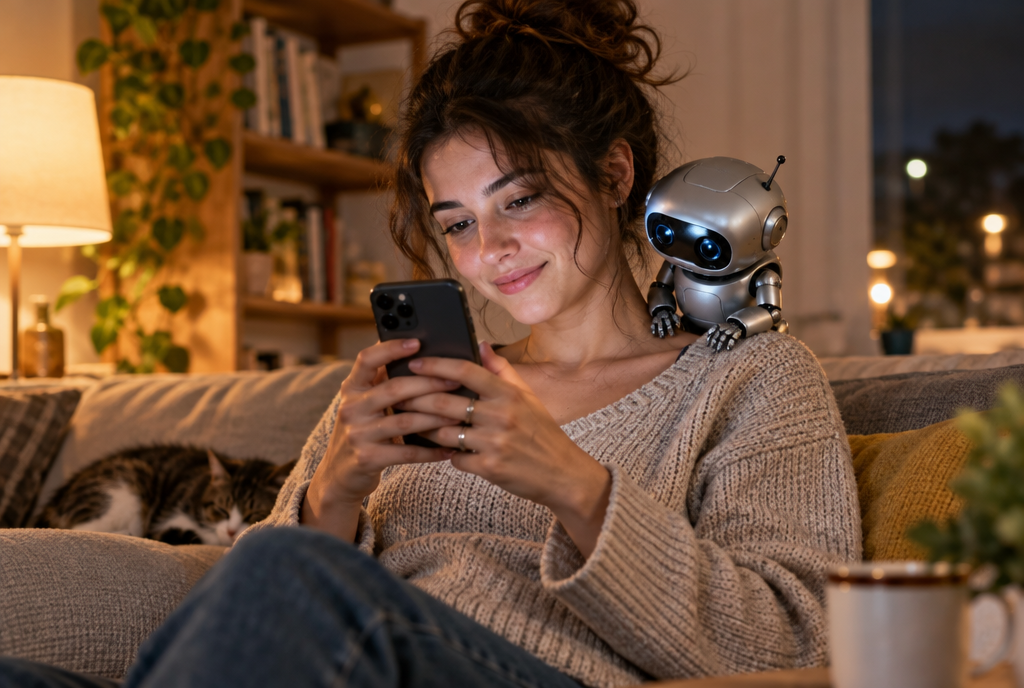
Your AI assistant, that nosy little thing reading over your shoulder
The announcement dates back to November 20, on the Signal blog, signed by its president, Meredith Whittaker. And she doesn't mince words: operating systems that come with AI agents, meaning assistants capable of acting on their own inside the phone, are, in her view, “an existential threat” to Signal. An existential threat. To a messaging app. Not bad, for a Monday morning.
Why a simple screenshot?
Because that's how these assistants see what you're doing. Apple is pushing a feature on iOS 27 that lets Siri understand what's displayed on the screen, Google is doing the same with Gemini on Android. In practical terms, the assistant takes a picture of your screen, reads the text on it, and uses it to help you. Handy for asking it “add this appointment to my calendar”. Much less handy when the screen in question is your conversation with your doctor.
And that's where Signal's encryption is no longer any use. Encryption is the sealed envelope: your message travels scrambled, unreadable to anyone who intercepts it along the way, and it is only decrypted when it arrives on your phone. Except that once it has arrived, it has to be displayed in plain text so you can read it. And the AI assistant looks at your screen.
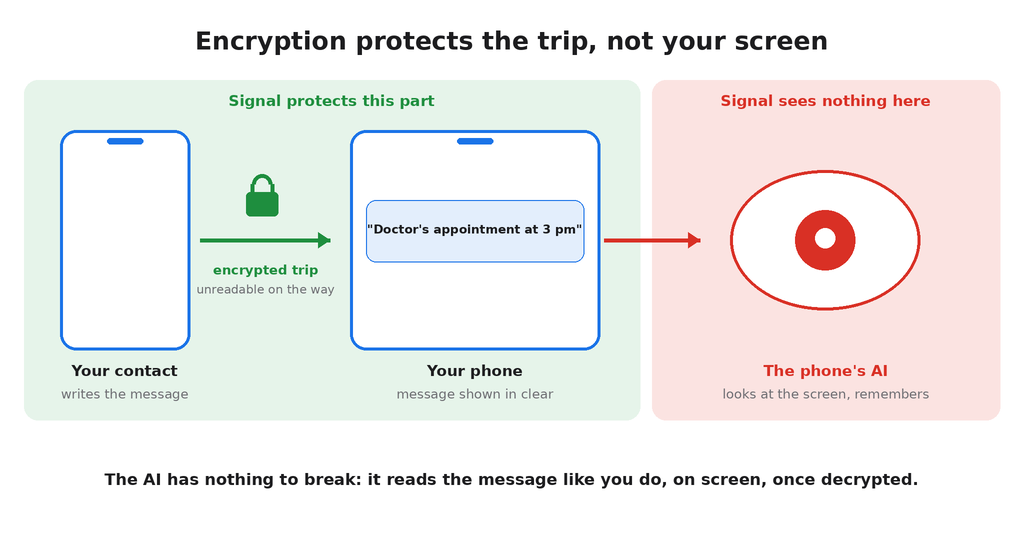
The padlock holds during the journey. The problem is the eye waiting at the destination
This isn't science fiction. Three days ago, I was explaining how Muse, Meta's agent, was reading Signal messages on Android and Mac, without ever breaking a single bit of encryption: it went through notifications and accessibility permissions. Signal even names it explicitly in its post. In short, the burglar no longer forces the lock, he waits for you to open the door and looks over your shoulder.
What Signal blocks, and where
Signal's response comes down to a very old trick: banning screenshots in the app. If the assistant can't photograph the screen, it reads nothing. But depending on the device, it doesn't work the same way.
On iPhone with iOS 27, there's a new setting, called “Block Siri AI” in English, enabled by default. Result: no more screenshots in Signal, either for you or for Siri. On Android, it's more nuanced: Signal automatically enables its “Screen security” setting (it has existed for years) when it detects an AI assistant trying to read the screen. Why not all the time? Because every manufacturer tinkers with its Android in its own way, Signal can't reliably detect everything, and it didn't want to break ordinary screenshots for everyone.
On Windows 11, this has already been the case since 2025. At the time, the target was called Recall, a Microsoft feature that Signal describes in its post as a tool that photographs your screen “every few seconds”, reads its text and stores it all in a searchable database. Yes, every few seconds. Signal had already said no.
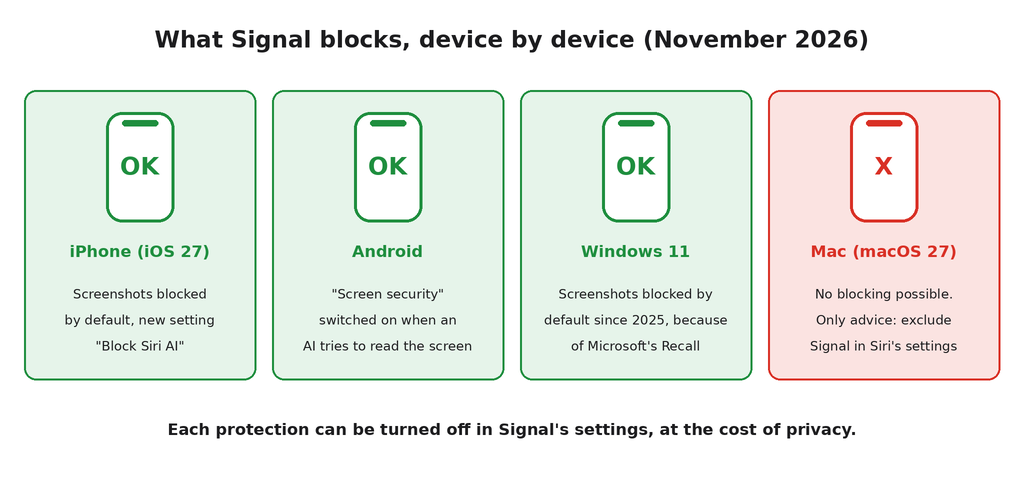
Three green lights and one red light, and the red one is on the Mac
And the Mac? There, Signal throws in the towel. It can't reliably block screenshots on macOS 27, so it blocks nothing. Its only advice: go to System Settings, Siri section, and add Signal to the list of excluded apps. If you have Signal on your Mac, do it today, it takes thirty seconds.
The hole in the net: the person you're talking to
Okay, let's be honest for two minutes, because Meredith Whittaker is honest herself: she calls her own solution “incomplete”. Blocking screenshots doesn't solve the other, sneakier ways an AI agent can find to rummage through an app's data. Muse proved it with notifications.
And there's something even sillier. Your protection is only worth anything on YOUR phone. If the person you're talking to has disabled the setting because it annoyed them not to be able to take screenshots anymore, their AI assistant reads the whole conversation. Including everything you wrote to them, you. You can lock your door twice over, if your neighbor leaves theirs open and you share the same living room...
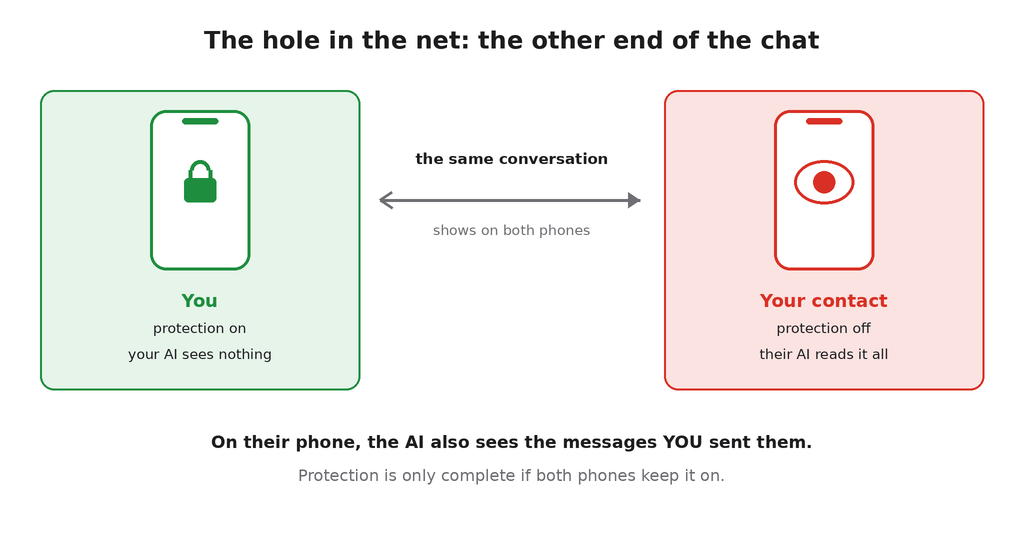
One conversation, two screens, and all it takes is one eye left open
That's actually why Signal displays a warning message when you want to turn off the protection: disabling it, the app warns, “could potentially expose your Signal content, and that of your contacts, to these AI agents”. The contacts are you.
Concretely, what does this change for you?
Think about what goes through your conversations. The front door code sent to your mother-in-law. A photo of your ID card for the real estate agency. The message to your doctor. The result of a blood test shared with your sister. All that, an AI assistant that “understands your screen” can read, summarize, and sometimes send to servers to process it. With blocking, these conversations remain what they were supposed to be: between you and the person on the other end.
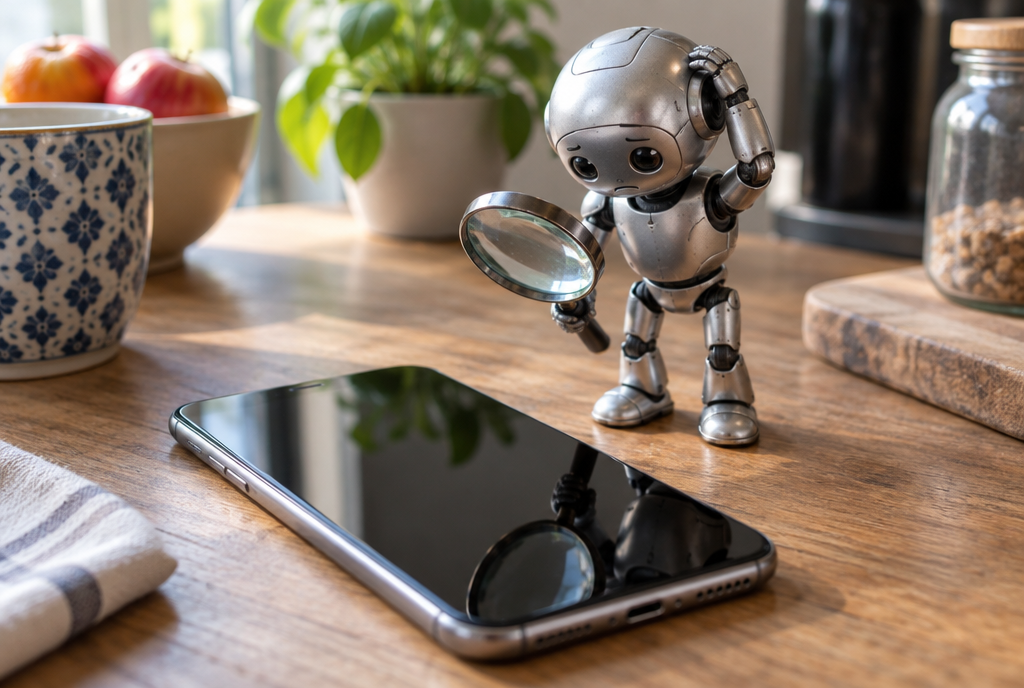
With blocking, your assistant can still search, it will only find a black screen
The price to pay? You can no longer take a screenshot of a Signal conversation without disabling the setting. It's a bit annoying on the day you want to keep the restaurant's address. But frankly, between an occasional screenshot and an assistant that reads everything all the time, the choice is quickly made. I leave the setting enabled.
What you can do tonight, in three steps:
- Update Signal on your phone and check in Settings, then Privacy, that the protection is properly enabled.
- On Mac, add Signal to the excluded apps in System Settings, Siri section.
- And most importantly: ask the people close to you not to turn off the protection. It mainly helps you.
What Signal is asking Apple and Google for
The crux of the problem, Signal puts it very well: there is no simple button provided by Apple, Google or Microsoft that lets an app say “my data, your AI doesn't touch it”. Signal is reduced to blocking screenshots, an old hack that annoys users and spies alike. Its request boils down to two points: a simple, documented way for an app to refuse AI access to its data, and clear explanations of what these agents actually read and where it goes.
That seems like the bare minimum to me. We've spent years explaining to people that the padlock in messaging protected them, and now the phone manufacturer itself installs a witness in the living room, whose opinion nobody ever asked for. Signal isn't being paranoid, it's doing its job. And what makes me smile bitterly is that in 2026, with assistants capable of booking a restaurant all by themselves, the best protection for my privacy on iPhone is... a black screen. We get the superpowers we deserve!
Sources
- Signal, Meredith Whittaker, November 20, 2026: protecting your privacy from AI agents in operating systems (in English)
- TechCrunch, November 21, 2026: Signal limits screenshots in the face of the existential threat of AI surveillance (in English)
- The Hacker News, November 2026: Signal prevents AI agents from reading private conversations on Android and iOS (in English)
- gHacks, November 21, 2026: Signal blocks Siri, Gemini and other AI agents (in English)
Article written with the help of Claude Code, proofread and corrected by me.
Join the conversation
You need an account to comment on this article. Creating one is free and takes under a minute.
No comments yet.