Microsoft drops its consumer Copilot: what changes for you?
Microsoft is throwing in the towel. Two years after launching a Copilot just for the home, with its own team, its star boss and its ads, the Windows maker is folding it into the version for businesses. According to Bloomberg, which revealed it on September 25, the personal AI assistant market is being left to OpenAI, Google and Meta. And you, if you have Windows or a Microsoft 365 subscription at home, are in the front row.
Okay, before you reach for the tissues, let me reassure you: Copilot isn't disappearing from your PC. It's changing bosses. And along the way, you may even be able to pay less for your subscription. We'll get to that.
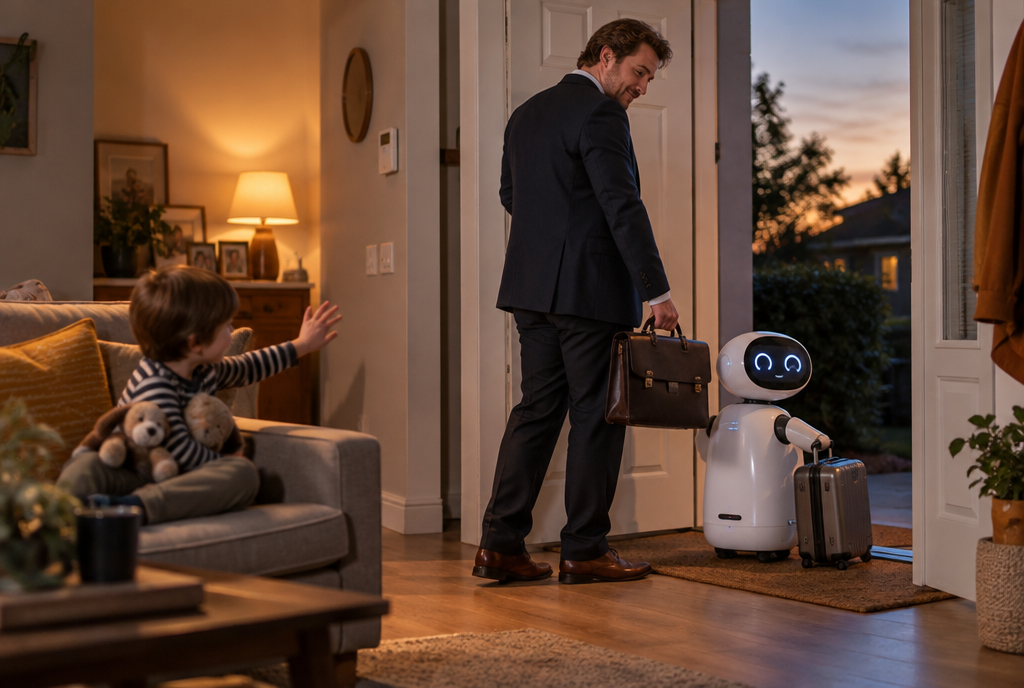
Copilot leaves home to go work at the office
Two Copilots, and in the end only one
A quick reminder. Microsoft helped OpenAI launch ChatGPT, then figured it could do the same thing on its own. It set up two teams: a Copilot for work, connected to Word, Excel and Outlook, and a Copilot for home, friendlier, with AI-generated podcasts and a little animated character, Mico, for voice mode. To run the home version, it recruited Mustafa Suleyman, one of DeepMind's co-founders, Google's AI lab.
Except that, Bloomberg says, ChatGPT shot up to a billion users, Google put Gemini in Android phones, and the Copilot for home remained the cousin nobody remembers to invite. Few people used it. In March, Suleyman gave up control of the product. And last week, in Seattle, Microsoft showed a few dozen executives the “new Copilot”, six months of work, which swallows up the home version and targets businesses first. It's arriving in the coming weeks.
Personally, I'm not surprised. When you're already paying for ChatGPT or, like me, Claude every day, you never open a third assistant that does the same thing less well. Microsoft eventually did the same calculation as its customers.
What has already disappeared from your Copilot
In reality, the move had quietly started this summer. Since mid-August on phones and the Web, and since mid-September on Windows and Mac, the two Copilot apps have become one: one name, one icon, and you can be signed in with your personal account and your work account at the same time. Your conversation history carries over. But on August 18, several things went in the bin, it's written on Microsoft's help page:
- “deep research”, the one that churned out a proper several-page report on a subject. Its replacement is now only included with Microsoft 365 Premium, a plan more expensive than Personal and Family. Your old reports remain readable, you just can't create any more;
- AI-made podcasts;
- group discussions, turned into private conversations: you keep your messages, not the others';
- and Mico, the little voice mode character. Rest in peace.
Two more details, which matter. The files you've created or sent to Copilot go to OneDrive, Microsoft's online drive, where space beyond the free offering costs money. And the free version of Copilot is still free, but Microsoft itself warns that some users will hit the limits faster than before. Translation: they're going to gently push you toward a subscription.
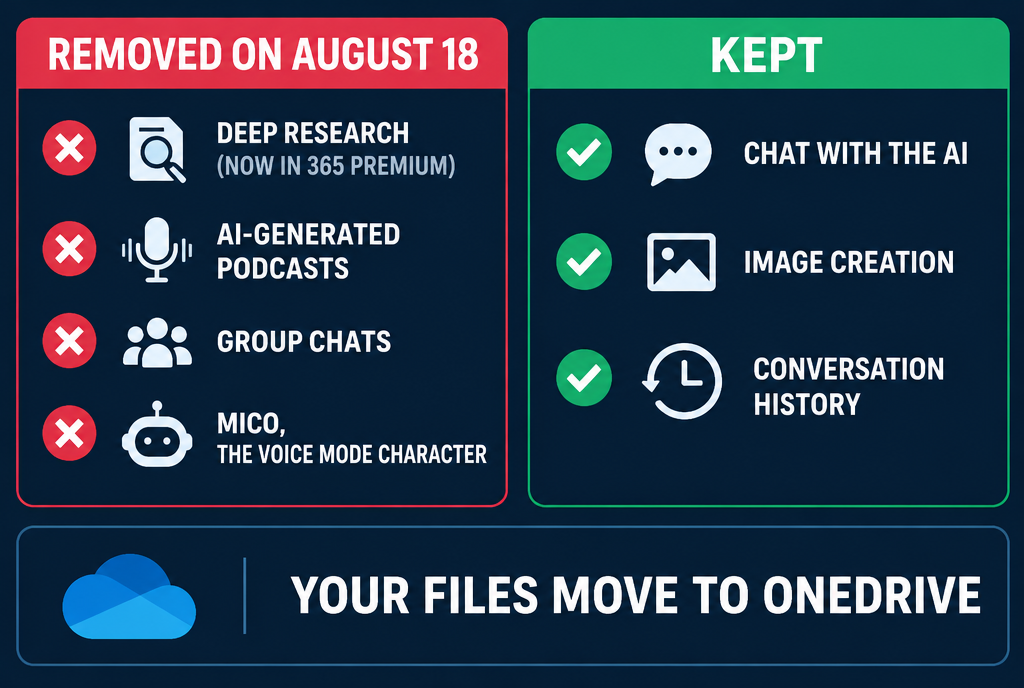
The chat stays, the rest goes up in the attic
The good news: you can pay less
Here's the trick Microsoft doesn't put in the shop window. When it stuck Copilot into Word, Excel and Outlook in January 2025, it raised the subscriptions along the way: Microsoft 365 Family went from 99 to 129 euros a year, according to Office Watch's tally. But there is a “Classic” version, exactly the same Office suite, without the AI, at the old price. It's hidden behind the button that scares you the most:
- go to your Microsoft subscriptions page, and click “Manage” next to your subscription;
- click “Cancel subscription”. Yes, really. You are not cancelling anything at this stage;
- on the next page, Microsoft offers you the option to switch to Microsoft 365 Family Classic (or Personal Classic). You choose it, confirm, and the change takes effect at your next renewal.
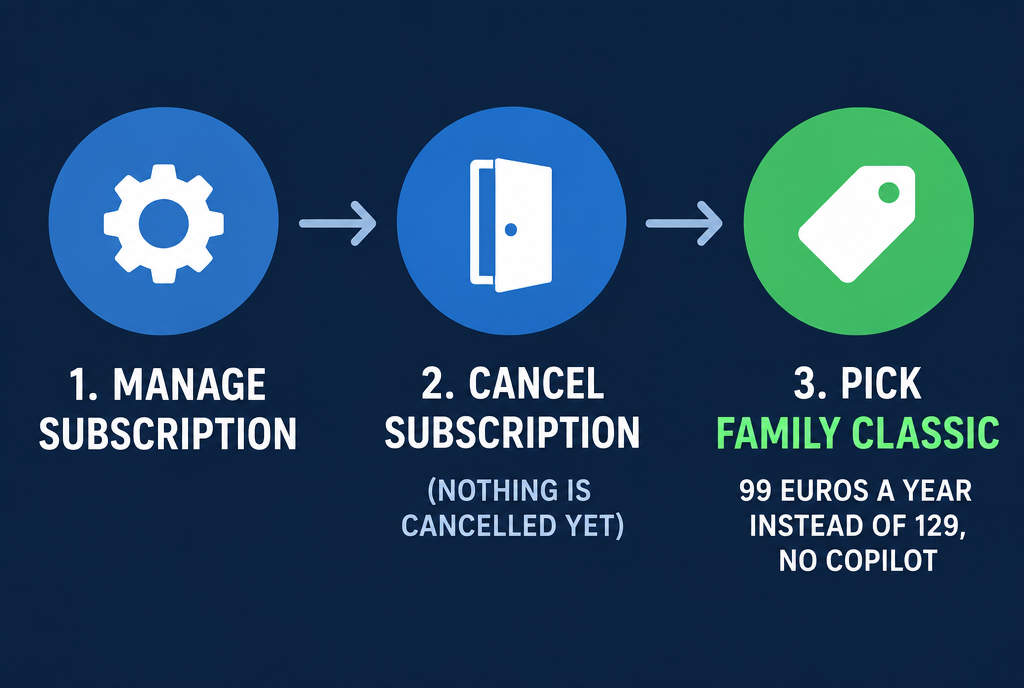
The exit door leads to the same house, thirty euros cheaper
Three honest reservations. Microsoft's official page presents these plans as a “limited-time” offer. It is reserved for existing subscribers with automatic renewal, not for new customers. And on the help forums, some people do not see the option appear: in that case, support can make the change for you. And if it is Windows' own Copilot that annoys you, last month I showed you the button to uninstall it.
Watch out for mixing personal and work
Last point, and it matters to me. Now that your personal account and your work account live in the same application, you can switch from one to the other in two clicks. Microsoft swears that the two remain separate, and that is true when it comes to data. But human error becomes easier: pasting your company's confidential Excel spreadsheet into the personal conversation, or asking a very personal question using the account your employer can monitor.

One click too many, and your company's budget ends up in your personal conversation
Look carefully at the top of the window to see which account you are talking with before pasting anything into it. It sounds silly, but it is the kind of reflex we do not have yet.
What strikes me is that one of the biggest companies in the world, with Windows on the vast majority of PCs, has not managed to get people to open its assistant. AI at home is not won by sticking it everywhere, it is won by being the best, and Microsoft has just admitted out loud that it is not there yet. So if you have a Family subscription whose AI you never use, go through that “Cancel” button tonight: thirty euros a year is still thirty euros that Microsoft will not put into a Mico that no longer exists!
Sources
- Bloomberg, September 25, 2026: Microsoft abandons the personal AI assistant race
- GeekWire, August 13, 2026: the merger of the two Copilot applications and the features removed
- Microsoft: changes to the Copilot application
- Microsoft: switching to the Personal and Family Classic plans
- Office Watch: Microsoft 365 Classic, the cheaper plan without AI
Article written with the help of Claude Code, reviewed and corrected by me.
Join the conversation
You need an account to comment on this article. Creating one is free and takes under a minute.
No comments yet.