LibreOffice 26.8 is out without the slightest bit of AI in it. And that's deliberate.
LibreOffice 26.8 came out without the slightest bit of AI in it. And that's intentional.
On Wednesday, LibreOffice released its back-to-school update, 26.8. Six months of work, 206 people on it, including 155 volunteers, Windows, Mac and Linux on the same day. And zero AI features. Not one. Not a little button with stars in the corner of the toolbar, not a “summarize this document for me”, nothing.
This isn't an oversight. It's written in black and white in the announcement, in three lines that don't leave much room for doubt: “LibreOffice 26.8 contains no generative AI features. Documents are not sent to remote services to be processed, and no component of the suite needs network access to work.”
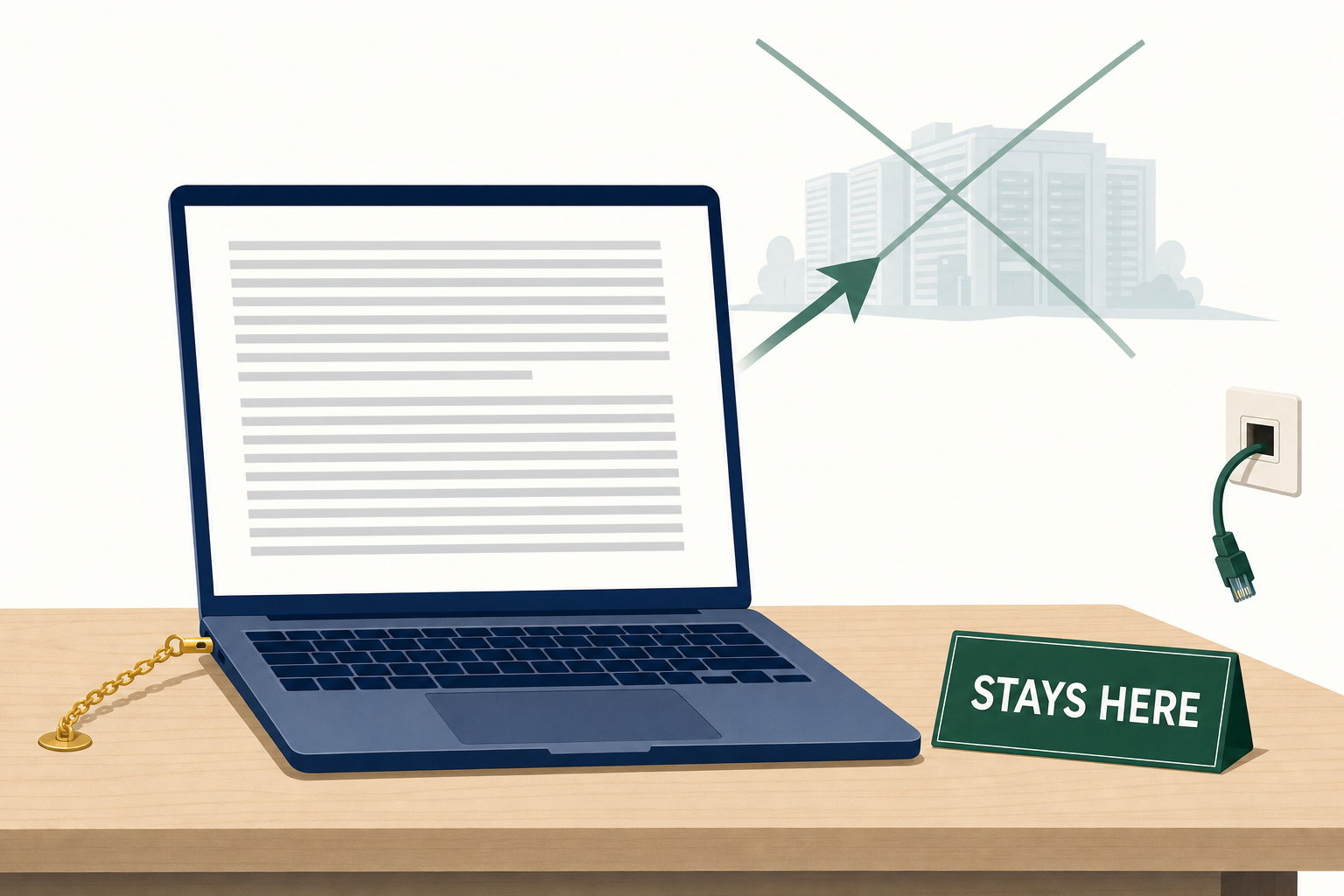
In 2026, adding nothing has become a statement.
So I might as well get this off my chest right away: I spend my days working with AI, I pay for several subscriptions, and I won't write a single line to explain that things were better before. That's not the subject. The subject is what a team does with six months when it decides not to spend them sticking AI onto a word processor. And the answer frankly surprised me.
The thing I didn't think I'd see coming in free software
It's called the paragraph composer, and to understand why it's a big deal, I need to talk to you about white spaces for two minutes.
When you write a “justified” text, meaning aligned perfectly on the left AND on the right, like in a newspaper or a book, the software has to fill each line exactly to the edge. It only has one way: spread out the words. Until now, all mainstream word processors did this line by line, each one minding its own business, without ever looking at the one next to it. A line that works out nicely stays tight. The line right below it, where a fourteen-letter word refused to fit, stretches like an accordion. The result: these gaps that line up vertically in the middle of the paragraph and catch your eye without you knowing why. Typographers call them rivers.
The paragraph composer looks at the entire paragraph before deciding. It spreads the stretching across all the lines instead of sacrificing one poor line, and you can even set a limit beyond which it is no longer allowed to spread out the words.
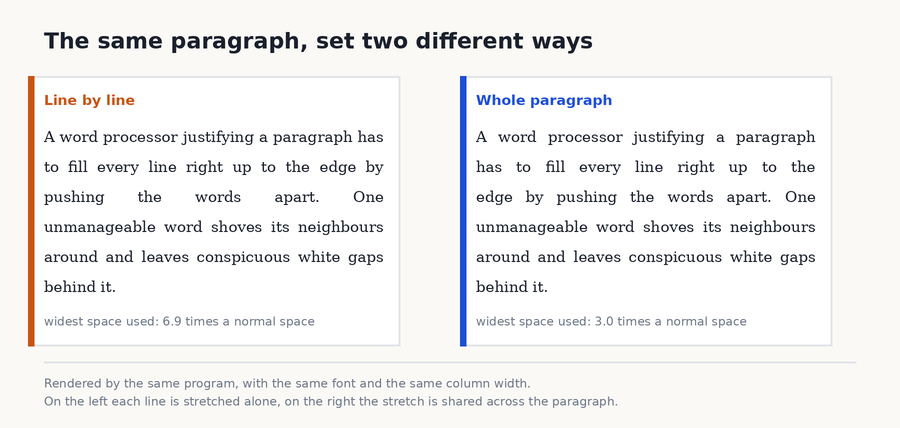
Same text, same width, same font. On the left, each line fends for itself. On the right, they talk to each other.
This idea is not new at all: it was formalized in the early 80s for typesetting mathematics books, and it has lived in professional page layout software ever since. Adobe InDesign, the one used to make magazines, has had exactly the same function, under exactly the same name, since 1999. So it arrives twenty-seven years late in software you download for free, but it arrives, and that doesn't happen every six months. There, that was the surprise.
And the rest of the six months?
The rest revolves around two obsessions: the world's alphabets, and making sure your file comes out intact when it has made a round trip to someone who doesn't have the same software as you.
As far as writing goes, the suite now supports so-called variable fonts. A normal font, you install it in several files: light, regular, bold, extra bold. A variable font is a single file that contains the whole continuum between the two extremes, and you choose exactly the level of boldness you want, including between two steps. There is also automatic detection of reading direction for languages written from right to left, and a draft mode that removes everything from the screen except your text.
As far as file exchange goes, the most useful part is invisible: complicated charts made in Microsoft Office, funnels, waterfalls, those doughnut charts commercial departments like so much, now survive the round trip instead of coming back as mush. If you've ever sent a table back to a client and received a polite message asking why their beautiful chart had become a gray rectangle, you know exactly what I'm talking about.
The spreadsheet now handles calculated fields in pivot tables, those summary tables that automatically group your rows ("how much I sold per month and per region"). It also gets a command to shuffle the order of cells randomly, which is useful to a teacher drawing groups and more or less nobody else, but hey, someone asked for it and someone wrote it.
And there's my little favorite, hidden in the links dialog box: it can now remove tracking parameters. These are those long tails of characters stuck onto the end of a web address, like ?utm_source=...&fbclid=..., which are used to know who sent you the link and what you clicked on. You paste a link into your document, the software offers to cut off the tail. Maybe three lines of code, and it's better than a chatbot.
Zero AI, but let's be honest
Now I'm not going to sell this to you as a moral victory, because it's also a choice that comes at a price.
What you gain is real and easy to put into words: your document stays on your hard drive. It doesn't make the round trip to a machine on the other side of the world so someone can suggest a rewording. You can unplug the network cable, open your laptop on a train without a network or in an administration that bans the cloud, everything works the same. And for professions where the content of the document is the secret (a contract, a medical file, a quote, a draft patent), this isn't a nicety, it's the only setup that gets past the legal department.
What you lose is real too. The automatic summary of a forty-page report, the rewording of a paragraph that makes no sense, translation in one click: these are tools that help people every day, me first. Pretending they're useless would be dishonest. And you need to know that the foundation forbids you nothing: an extension written by someone else can add all that. Except that it will send your text elsewhere, and then you're the one deciding with full knowledge of the facts, instead of it already being checked during installation.
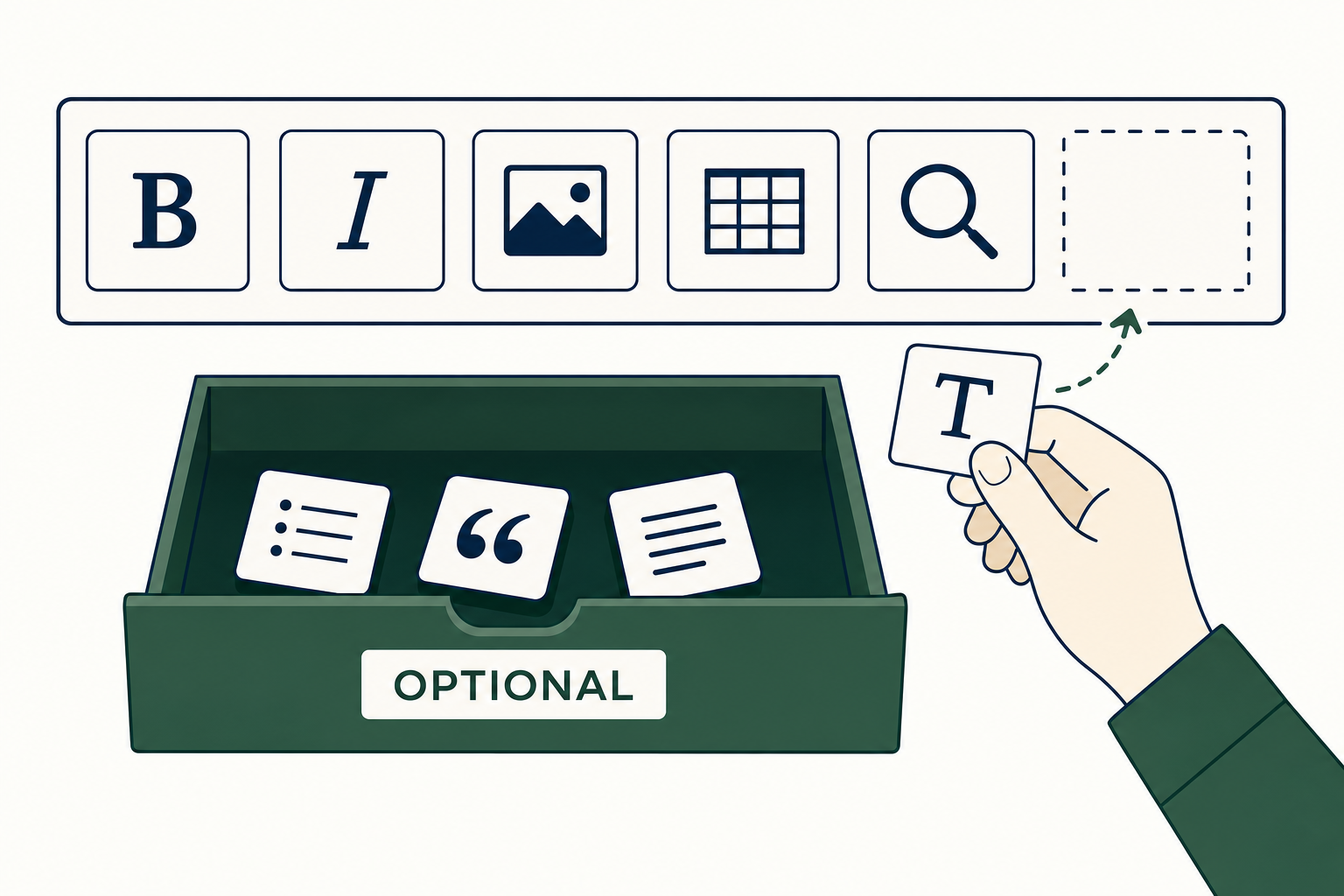
The empty box isn't an oversight. It's a box, and you're the one who fills it.
Maybe that's the real information, actually. Not "no AI", but "no AI by default". Huge nuance. Besides, if you want to see what software can read in a text you think you read yourself, I talked about it yesterday in connection with email summaries : the machine doesn't see the same page as you.
Okay, so what's in it for you?
Three concrete things, and the first is simply a question of money.
Microsoft 365 Personal is listed at 99 euros per year on Microsoft's Belgian store. If you pay by the month instead of by the year, it's 10 euros per month, so 120 euros for the year: paying in twelve installments costs you 21 euros more, it's written on the same page. LibreOffice costs zero and there is no asterisk: no crippled version, no account to create, no three free months that turn into a direct debit.
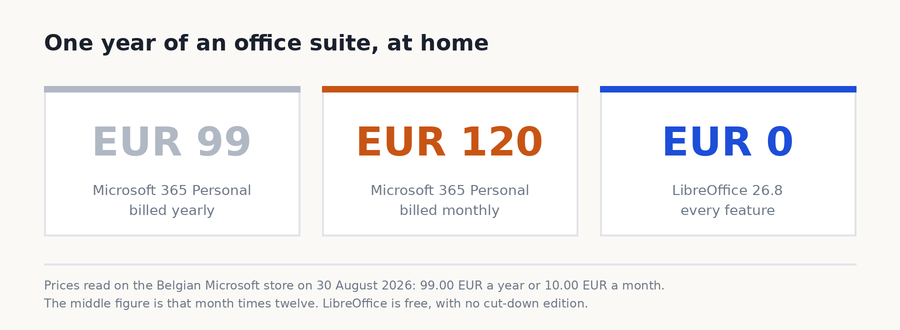
The shortest chart I've made this year.
Second thing, your old files. You definitely have a folder with documents from 2009 in it, invoices, a thesis, your grandmother's recipes typed up by someone who is no longer around. LibreOffice opens them. That's even one of the few reasons this software exists: being able to reopen a file in twenty years without depending on a company's goodwill. And since this version, when you send the file back to someone using Word, it comes back in better shape than before.
Third thing, and it's the one I find prettiest: your CV and your son's cover letter are going to be better laid out. Not "just as well". Better. This thing about distributing the white space is exactly what separates a document that looks homemade from a document that looks printed. Nobody will be able to say why, nobody will notice anything, and that's precisely the point.
The update is free, it installs over the old one and it takes five minutes. One word anyway if you're reading this from an office: the foundation itself says that a company deploying the suite on a hundred workstations should instead go for the paid versions of its ecosystem, the ones that come with a support contract and security fixes guaranteed for three to five years. At home, the free version does the job very well.
What I think
We’re living through a year where absolutely everything gets a little AI button added to it. My phone, my TV, my code editor, my insurance form. Most of the time it’s useful, sometimes it’s even very useful. But it’s becoming so automatic that a team announcing “we spent six months on how the words are spaced” sounds like it has stepped out of another century.
Except that the result is there, and it’s the kind of work nobody does for you: improving a detail you don’t see, in software you don’t pay for, for a document you’re going to print just once. Hats off and happy back-to-school season to the 206 volunteers!
Sources
- The Document Foundation: official announcement of LibreOffice 26.8, August 26, 2026, the three focuses of the version, the paragraph composer, the 206 contributors including 155 volunteers, the sentence about the absence of AI and the recommendation to companies
- LibreOffice: download page, Windows, macOS and Linux
- The Register: LibreOffice 26.8 is out, local first, and with no AI, August 28, 2026, the position on AI, local processing and alphabets
- gHacks: LibreOffice 26.8 launches with Writer Paragraph Composer and no AI features, August 29, 2026, how the paragraph composer works and the list of new features
- Phoronix: LibreOffice 26.8 released, August 26, 2026, compatibility and performance improvements
- Microsoft Store Belgique: Microsoft 365 Personal, prices recorded on August 30, 2026
Join the conversation
You need an account to comment on this article. Creating one is free and takes under a minute.
No comments yet.