Manage your Enigma2 box online
New
Your Enigma2 box can now be controlled from tv.digital3d.com
I rebuilt everything as a website. What ZapEnigma2 did on a single Windows PC, tv.digital3d.com does in the browser, with a proper TV guide around it. Honestly, I wouldn't go back.
Nothing to install
A browser is all you need. PC, Mac, tablet or phone, at home or on the go. No more Windows setup and .NET framework to lug around.
One-click recording
A button on channel pages, program pages, the top lists and search, and the box schedules the recording.
Schedules and recordings
You see the box's schedules, you edit or delete them. Recorded files can be downloaded or deleted from the site.
Live TV in VLC
One click makes the box switch to the channel and gives you an .m3u file. VLC then reads the stream directly from the box.
Reminders before it starts
By e-mail and browser notification, from 5 minutes to 24 hours in advance. No more excuse for missing the evening movie.
Your channels, in your order
You choose the channels in the lineup and on the "Tonight" page, and the TV guide updates itself every day.
Open tv.digital3d.comEverything you need to know about the Enigma2 part
The TV guide is free and open to everyone. The features that control the box can be tried free of charge for 30 days with your Digital3D account, then require a subscription. On the hardware side, you need a Dreambox, a VU+ or a GigaBlue with the OpenWebif web interface enabled.
This is what the lineup looks like at my place, on a Sunday evening.
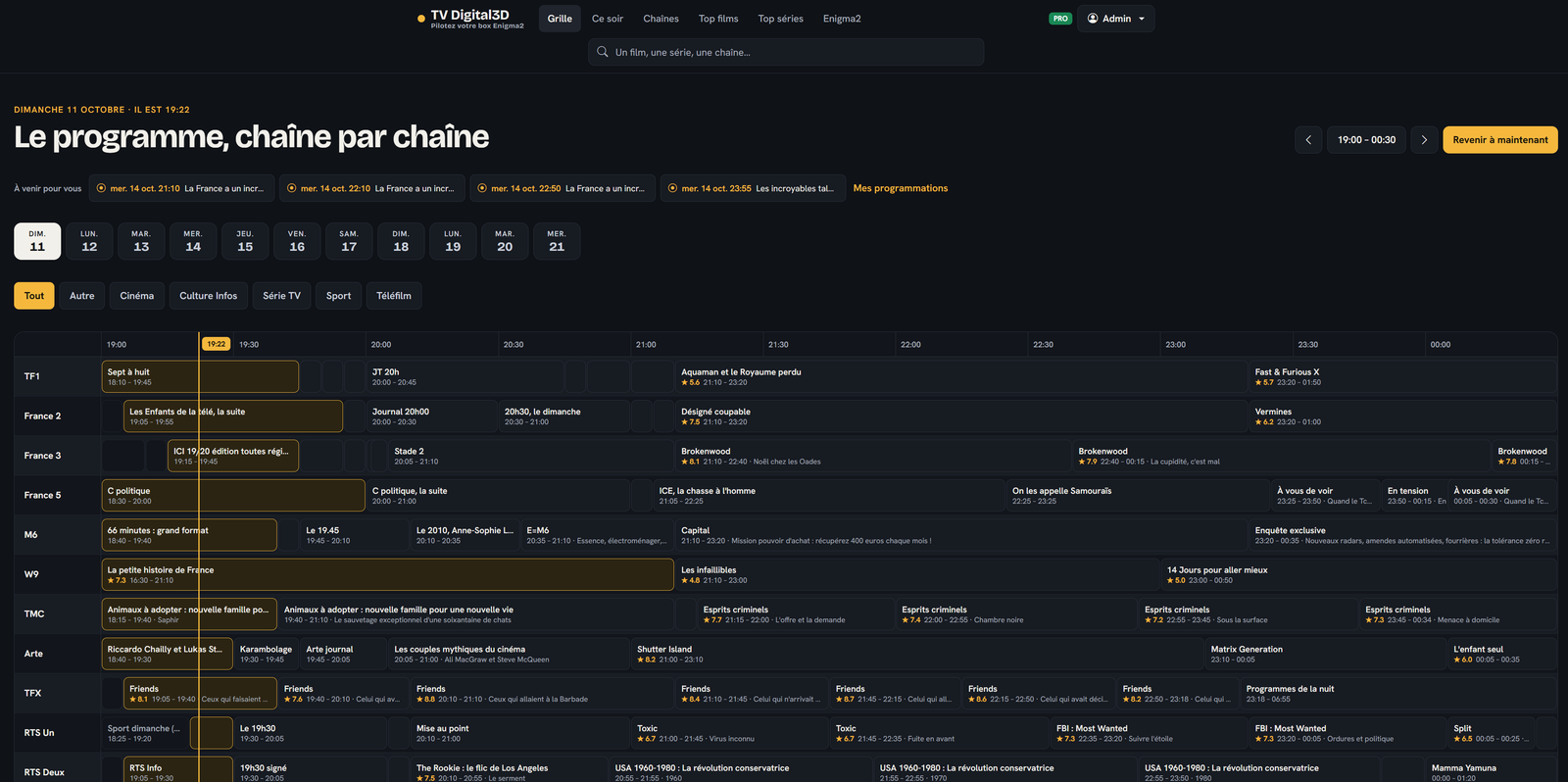
The orange bar marks the current time, the ratings are from IMDb, and the “Coming up for you” line reminds me of my next recordings and reminders.
ZapEnigma2 is obsolete and is no longer maintained
Let's be clear: this .NET software for Windows dates back to 2019 and I no longer develop it. No more updates, no more fixes, no more support. It may still run on your computer, but I guarantee nothing, and everything it could do exists in a better form on tv.digital3d.com. I am leaving the original page below as it is, for those who still use it.
The old software: ZapEnigma2
Archive, unmaintained .NET software
ZapEnigma2 for Enigma2 set-top box
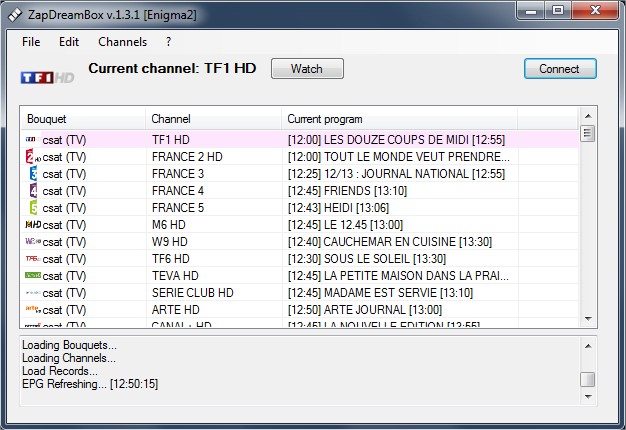
ZapEnigma2 is software for watching your satellite TV from anywhere as long as you have an Enigma2 set-top box. It also lets you have a basic TV Guide and schedule recordings.
ZapEnigma2 also lets you import an XMLTV file for your TV Guide using your API key under your account.
How do you use ZapEngima2 ?
Go to the Edit > Preferences menu
Use ZapEnigma2 via a PC in your bedroom or in your living room. Enter the IP address of your set-top box, the login and the password and you're all set.
VLC absolutely must be installed on your PC ! If you don't have it yet, download it here: https://videolan.org and the path must point to the vlc.exe file
Pick any channel and watch the electronic guide and schedule whatever you want over 7 days.
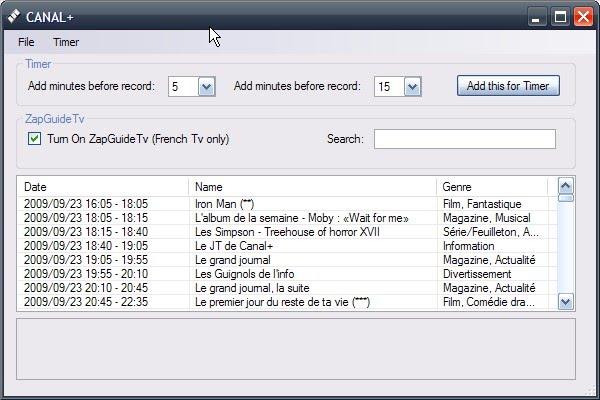
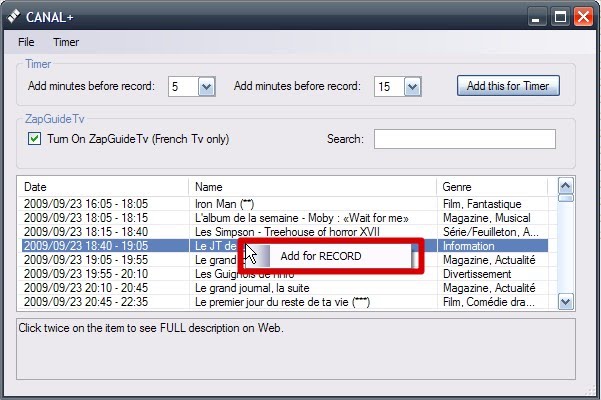
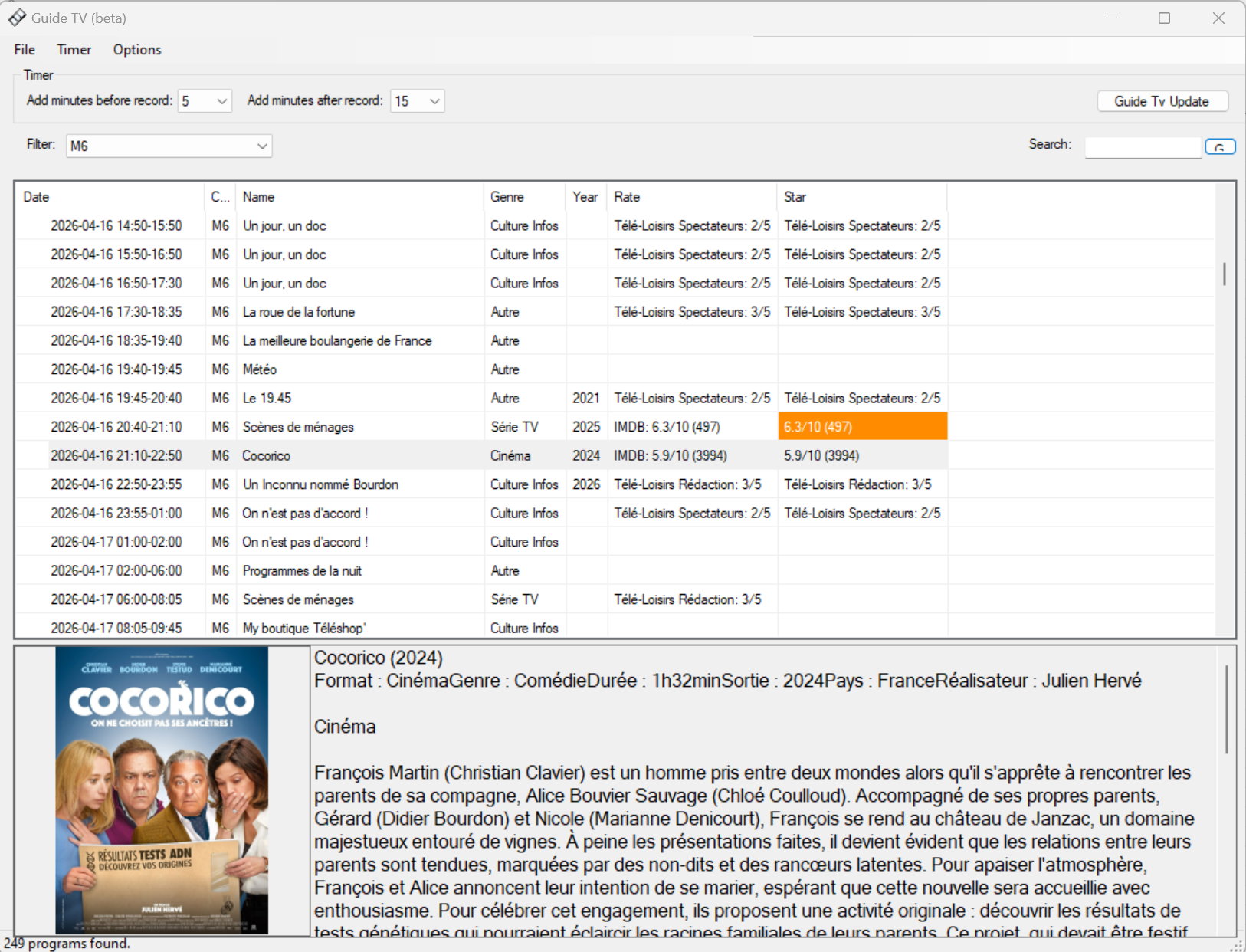
You also have a complete TV Guide based on the XmlTv file extracted every day, you can refresh the programme once a day in its free version, if you want more updates to the XmlTv file, you must subscribe to a PRO subscription here
Complete GuideTv
Don't forget to enter your API key which is under your Digital3D account in the File > Preferences menu
Have you reached the end of the page ? Then go see today's version.
Join the conversation
You need an account to comment on this article. Creating one is free and takes under a minute.
No comments yet.