AI VideoCutty: cut, transcribe, compress your videos in natural language
AI VideoCutty
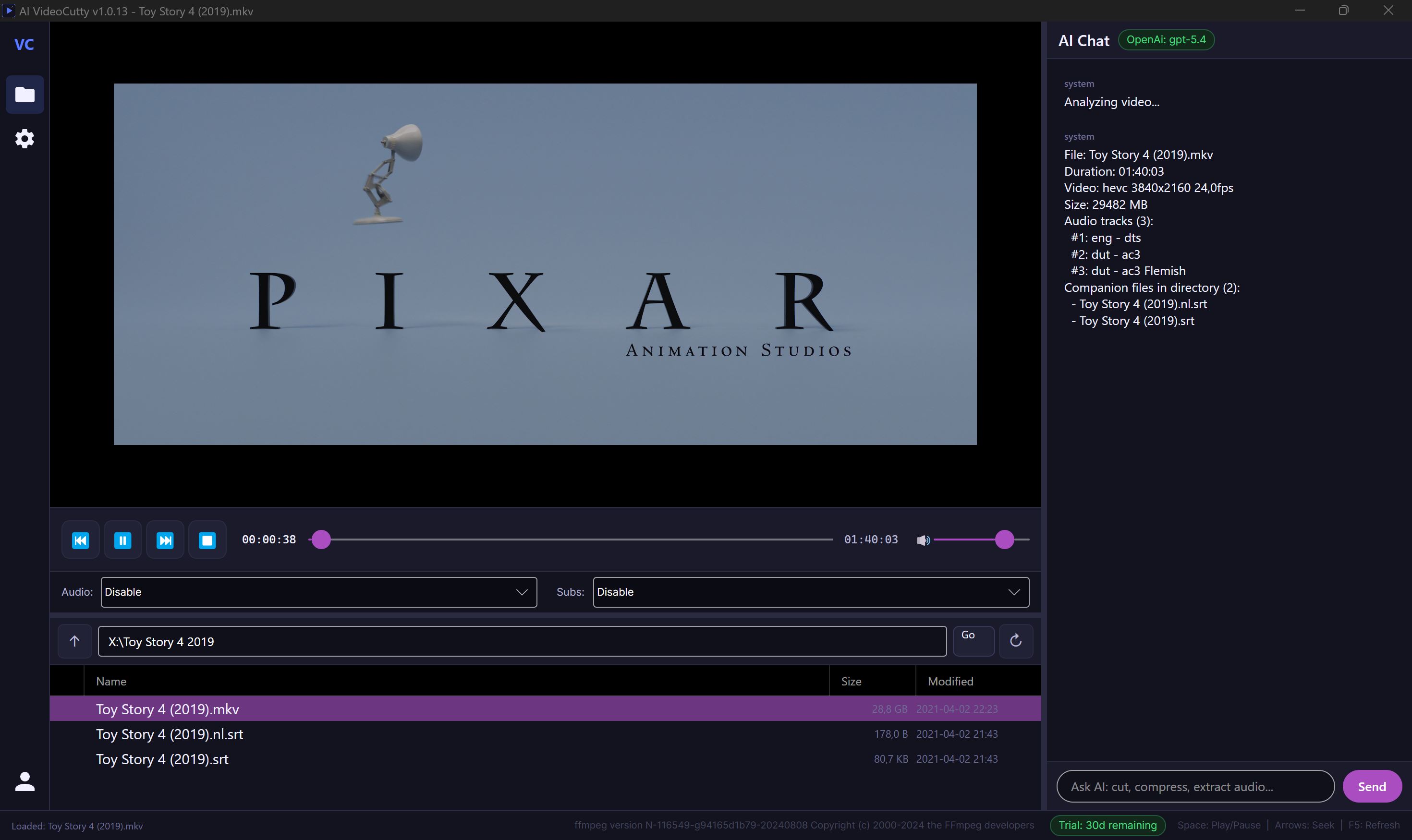
The 100% AI-driven video editor. You speak — it executes. No more complicated timelines, no more lengthy FFmpeg tutorials. Say : « Cut from 1:00 to 2:00, then extract the audio track and transcribe it in French » — it's done!
A simple idea, pushed to the max
All other video editors ask you to learn their interface. AI VideoCutty does the opposite : it speaks your language. French, English, Spanish — type your request in the chat, the AI understands the context of your video (duration, audio tracks, subtitles, companion files) and automatically triggers FFmpeg, VLC, or Whisper for you.
Why you'll love it
5 AIs to choose from
OpenAI, Anthropic Claude, Google Gemini, Grok or Ollama locally (100% offline). You choose — your API keys, your rules.
Native GPU acceleration
Automatic detection of NVIDIA / AMD / Intel / Apple Silicon. Whisper runs on CUDA or CoreML, FFmpeg encodes in NVENC/QSV/VideoToolbox — up to 10× faster than the CPU.
Offline transcription
Integrated Whisper : generate SRT subtitles in over 90 languages without sending a single byte to the cloud.
Integrated VLC player
Precise navigation, selection of audio tracks and subtitles — the AI can even say « go to 05:30 » and the app will take you there.
Cross-platform
Windows, macOS, Linux. Same features, same elegant OLED-dark interface, same comfort.
Your data stays with you
Encrypted API keys at rest (DPAPI on Windows). No telemetry. Your video never leaves your machine, unless you choose a cloud provider.
How to use it ?
Open your video
Double-click in the integrated explorer or drag and drop from your OS. The app detects all companion files (subtitles, external audio tracks, images).
Chat with the AI
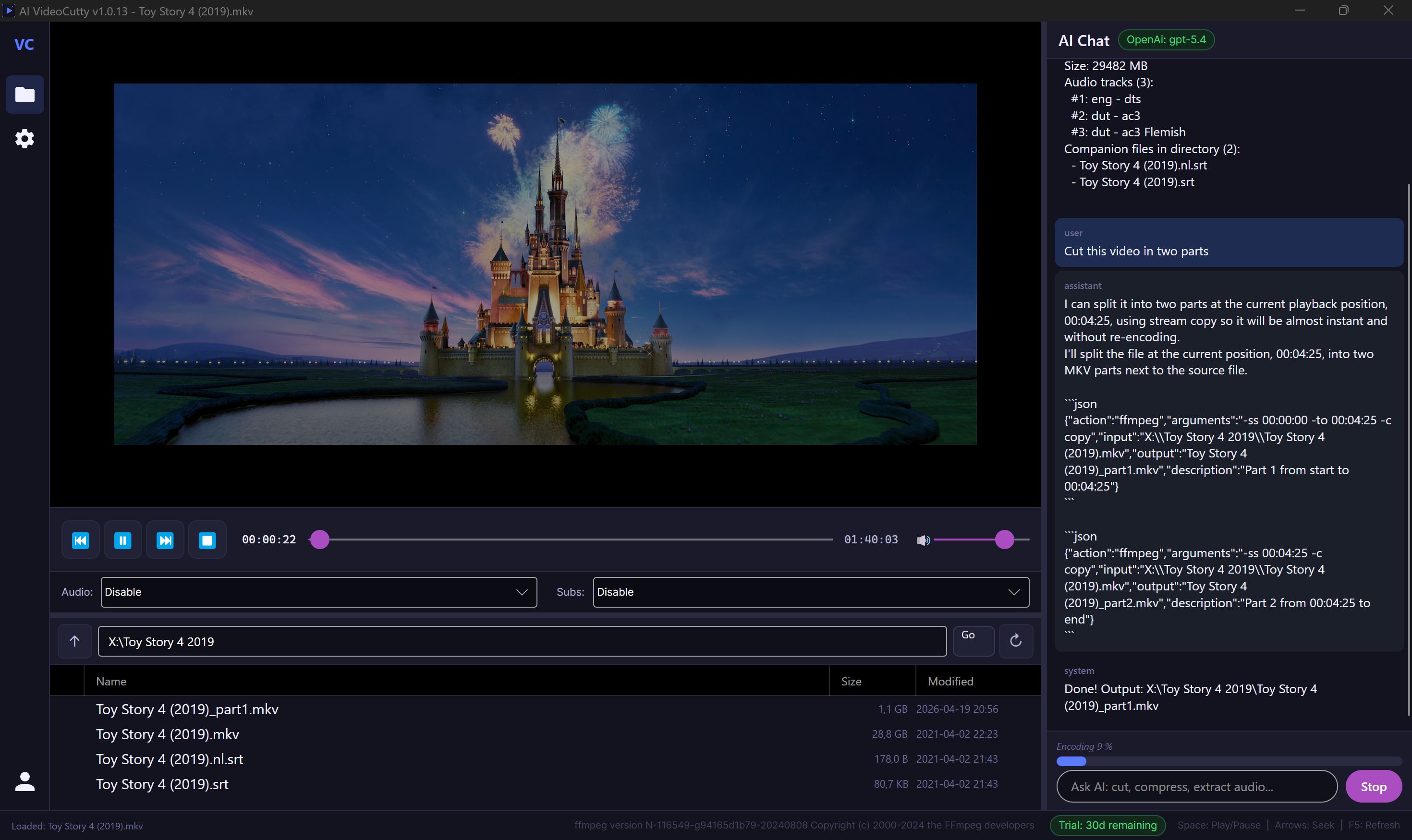
Type what you want in natural language. The AI responds with an estimated execution time before starting the operation.
Watch it work
Real-time progress bar, Stop button available at any time, clear logs. You keep control.
Examples of requests you can type :
- « Cut this movie from 1:00 to 2:00 without re-encoding »
- « Extract the audio in MP3 320 kbps »
- « Generate French subtitles for this video »
- « Compress this file to fit under 25 MB »
- « Shift the subtitles back by 2 seconds »
- « Split this video into two equal parts »
Technical specifications
| Platforms | Windows 10/11, macOS 12+, Linux (x64) |
|---|---|
| Framework | .NET 9.0 / Avalonia 11.2 |
| Video player | LibVLCSharp (native VLC) |
| Video engine | FFmpeg (auto-downloaded) |
| Transcription | Whisper.net (CUDA / CoreML / CPU) |
|---|---|
| AI Providers | OpenAI, Anthropic, Gemini, Grok, Ollama |
| UI Languages | French, English, Spanish |
| Supported formats | ~70 video/audio/subtitle extensions |
Try for free for 30 days
Download AI VideoCutty and use it without limitation, no credit card, for a full 30 days from the first launch. All features are unlocked : AI, GPU, Whisper transcription, contextual explorer — nothing is restricted.
Beyond that, a subscription license is required to continue using it :
Get my license →Ready to stop wasting time ?
Download AI VideoCutty, open a video, and tell it what to do. It's that simple!
30-day trial · Windows · macOS · Linux
Join the conversation
You need an account to comment on this article. Creating one is free and takes under a minute.
No comments yet.