Windows 11: what KB5129195 fixes, and what remains broken
September 8's Patch Tuesday was supposed to be routine: a pile of security patches, a reboot, and then we wouldn't talk about it anymore. Except that after the installation, workstations started losing their remote desktop session after a few minutes, administration consoles started freezing, and file explorers started responding with nothing. Microsoft acknowledged the damage and pushed an out-of-schedule fix on September 14, KB5129195, available since then. And this isn't the first time this year that an in-house update has had to be fixed by another one.
To understand what happened, you have to know how Microsoft has been working for a few years now: the same patch goes out at the same time to every machine in the fleet, hundreds of millions of different configurations, from the three-screen gaming tower to the company laptop that hasn't been restarted for eighteen months. Statistically, it always ends up hitting someone. And when it hits, it hits people who never asked for anything.
What the update had broken
The list is long and, as is often the case, it mixes the very visible with the very discreet. The most annoying issue concerns remote desktop sessions: that function that lets you control your work computer from home. On the affected machines, the connection dropped after a few minutes, and you had to start over. For someone working remotely, that means losing the work in progress every ten minutes.
Alongside that, software freezing without warning. The Windows management console, the tool that diagnoses remote desktop licenses, and the file explorer, the one you use a hundred times a day to find a document. All affected. And a story about shared folders between a Windows machine and a Linux machine running inside it: what worked before no longer worked.
Finally, and this is the kind of detail that drives you crazy because you never think about it beforehand, the sound. Some multichannel sound cards connected over USB lost their eight-channel output and surround rendering, without saying a word. You don't notice it while watching a video on YouTube. You notice it the day you put on a headset to play or for a video call, and it sounds like a radio sitting in the room next door.

A headset plugged in properly, normal sound the day before, and an output that ends up flat from one day to the next
What remains broken, and this needs to be said
KB5129195 fixes the series above. It doesn't fix everything, and the list of problems still hanging around is more interesting than the list of problems that were fixed, because Microsoft can't do much about them.
The first concerns AMD graphics cards. Users report driver crashes, and in the worst case a screen that stays black after signing in. It affects most of the manufacturer's recent cards, and the classic solution that usually works, reinstalling the driver, changes nothing here. It has to be fixed on the driver side, not on the Windows side, and no date has been announced.

No message, no date, and a black panel that says nothing more than the standby light
The second still concerns sound over USB: some devices now display an error code instead of playing a file, and in other cases the volume remains stuck at zero, with the slider moving back up on its own. And there are still file explorer crashes here and there, as well as automatic backups to an external drive that can no longer find the drive in question.
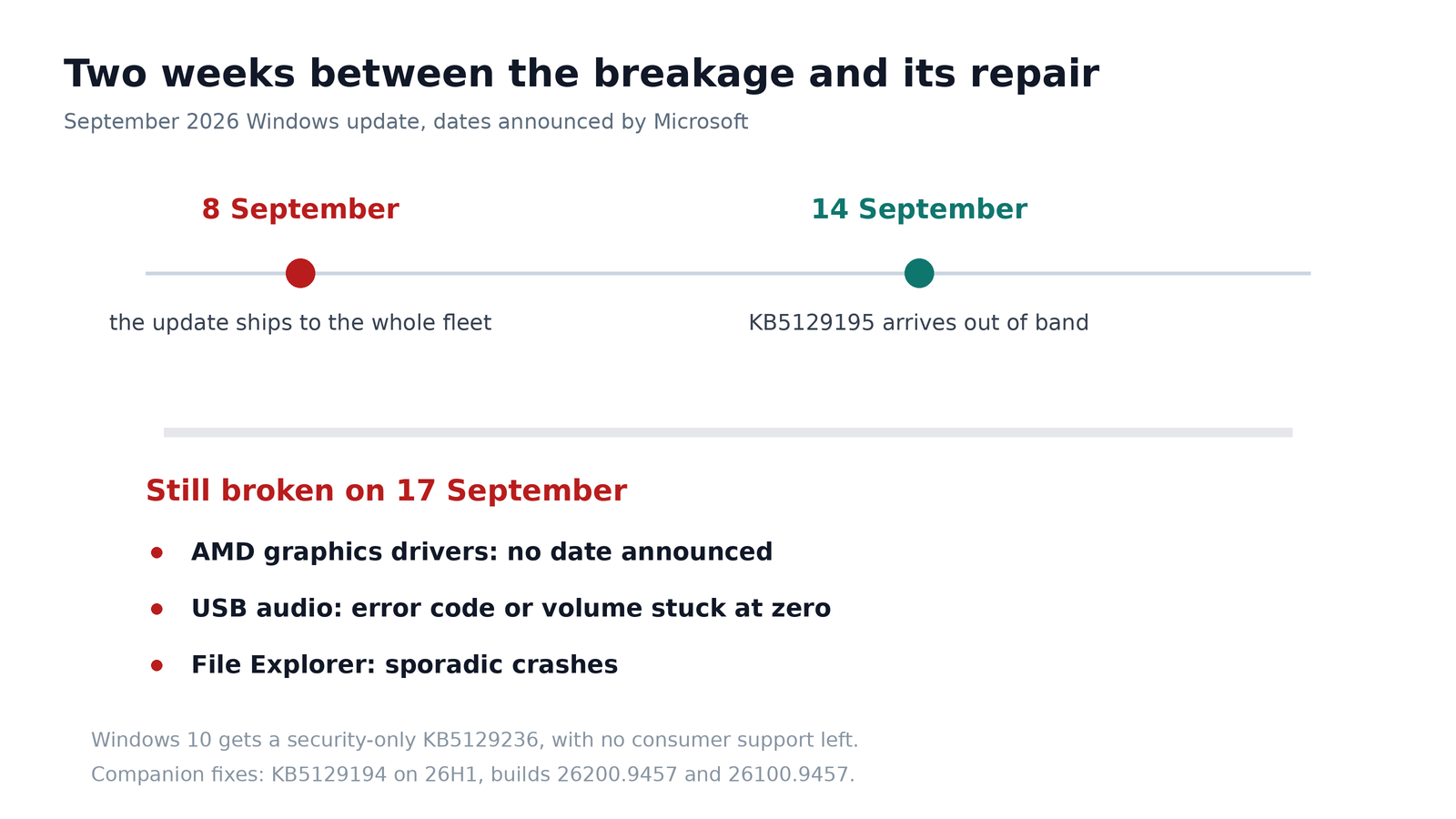
Two weeks between the update and its repair, and a manufacturer that still hasn't given a date
How to get out of it, concretely
If your machine is running fine, you have nothing to do: Windows Update offers KB5129195 on its own, you just have to accept it and let it restart. The version number to check is 26200.9457 for the 25H2 branch and 26100.9457 for 24H2. For machines on 26H1, the companion patch is called KB5129194. And for those who have stayed on Windows 10, there is a KB5129236, which doesn't change the fact that this system has no longer been supported for the general public since last October and that this patch only talks about security.
The two minutes worth losing are the ones spent checking when the September update was installed. If your computer was updated between the 8th and the 14th, and it's doing fine, good for you. If it started doing weird things during that interval, the cause has been identified, it has nothing to do with your hardware dying, and there's a good chance that a simple restart after the patch will put everything right.
For administrators, on the other hand, there's a lesson to keep in mind. This time, the patch outside the schedule fixed things, but it also moved the problem: workstations that were working were updated “for nothing” and ended up with an audio error code on top of it. Personally, I no longer click on Restart now on the day an update is released. I wait a week, it's bad for security, it's comfortable for the rest, and this month I would have been right twice.
There's still one question I don't know how to settle, and I think it bothers more people than expected: at what point does a mandatory update become as big a risk as the flaw it fixes? Nobody answers, we install, and we cross our fingers.
Join the conversation
You need an account to comment on this article. Creating one is free and takes under a minute.
No comments yet.