An AI found 24 vulnerabilities in Android apps: what should you do?
An AI combed through Android apps and found 24 vulnerabilities. Among them, a map app downloaded more than ten million times, which could let any other app on your phone track your journeys. And the Wikipedia app, where a simple malicious link could let someone take over your account.
It was the GitHub Security Lab that reported it on September 28, GitHub's team of vulnerability hunters, the big site where developers from all over the world store their code. And the most interesting part isn't the number. It's that they are giving everyone their recipe.
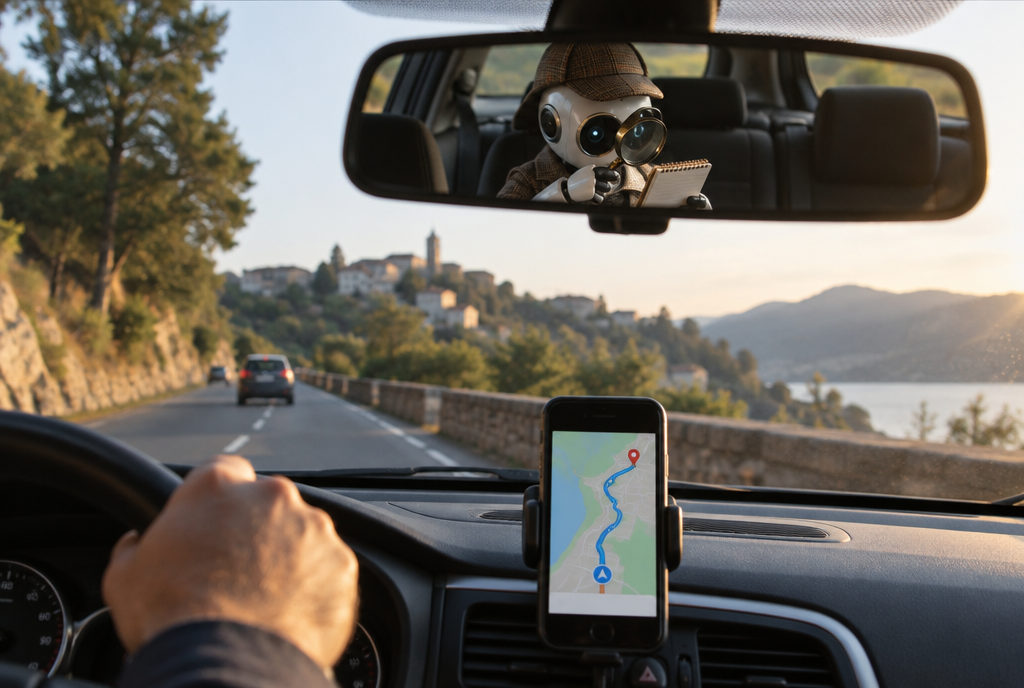
Your GPS guides you, and someone else takes notes
How your map app could tell someone where you're going
The app is called OsmAnd. It's a free navigation app, very popular with hikers and cyclists because it works even without a network connection.
To understand the vulnerability, you need to know how a map is displayed on your phone. It doesn't arrive all at once: it's split into small squares, "tiles", which the app fetches as you move. You're driving towards Namur, the app requests the squares of the road towards Namur. Makes sense.
Except that OsmAnd had left a door ajar. A door intended for importing settings, and supposedly only meant to open for the app itself. In practice, any other app installed on the phone could quietly slip settings through it, without any particular permission and without you seeing a thing. For example this one: "from now on, fetch your tiles from MY server".
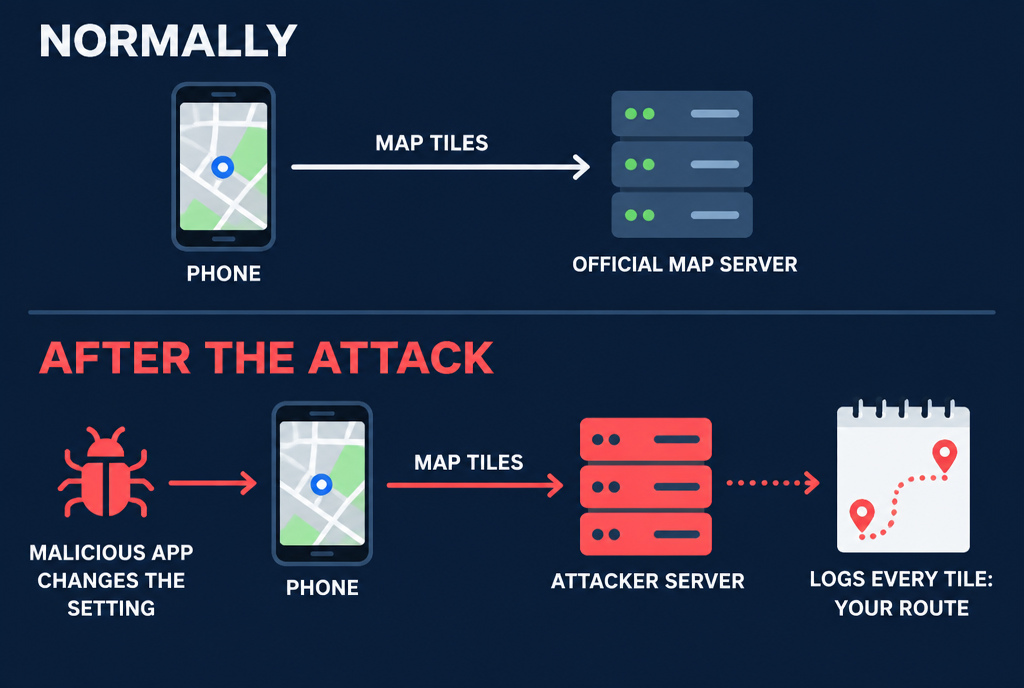
Tell me which bits of the map you're requesting, and I'll tell you where you are
And there, it's unbeatable: if it's the hacker's server delivering the map sections to you, it knows which ones you're requesting, so where you are, and which way you're going. Your journey draws itself in its logs. According to GitHub, the same vulnerability could also reveal your routes, including both the starting point and the destination. Meanwhile, you keep driving along peacefully with a map that displays perfectly. That's what gives me the creeps: there's nothing to see.
Wikipedia: one malicious link, and your account changes hands
Second detailed example, the Wikipedia app for Android. It accepts "deep links", links that open a page directly in the app instead of the browser. The problem: it did a poor job of checking the destination address. By chaining together two verification errors, a hacker could make it load a page of their own, retrieve the little files that keep you logged in (the "cookies") and take over your Wikipedia account, and the accounts on the sister sites of the same foundation.
Well, a stolen Wikipedia account isn't your bank account. But think about the people who edit articles read by millions of people. A respected contributor's account in the wrong hands is an open door to disinformation.
The AI finds, the human sorts
Now, the part that interests me the most, as a developer. The researcher, Kevin Stubbings, didn't paste an app's code into an AI and ask it, “find me some vulnerabilities.” That gives you nonsense. He broke the work down into small steps, like a checklist: first identify every door through which another app can get in, then check each door, one by one, against a list of known Android traps. GitHub calls these recipes “taskflows,” and they're freely available.
The conclusion he draws from it is refreshingly honest. AI is very good at finding things. It's bad at judging how serious they are. He says it often reported vulnerabilities that assumed a situation “almost impossible to encounter in real life.” But when it was asked to create proof that the vulnerability existed, the little program that triggered it, it needed “almost no tweaking.”

The machine brings back everything that shines, the expert sorts the gold from the beer caps
That matters, for a simple reason: OsmAnd isn't a multinational. It's an open-source project, run by a small team, like thousands of apps you use without knowing it. Teams like that never pay several thousand euros for a security audit. A recipe that runs in an hour or two on a medium-sized project, with a Copilot subscription, GitHub's programming assistant, is an audit within anyone's reach. I already said so in August: these tools are cleaning up years of old code, and that's excellent news.
The downside is obvious, and GitHub doesn't hide it: a public recipe also serves those looking for vulnerabilities to exploit. The race is on on both sides. Might as well have the good guys use it first!
Concretely, on your phone
Don't worry, for the OsmAnd vulnerability, a malicious app first had to be installed on your phone. Nobody could track you from the other side of the world without that accomplice in your pocket. GitHub doesn't give the fixed version numbers in its post, but its team has a rule of warning developers before publishing anything, and giving them time to fix it.
So, three habits that apply to these two apps and to all the others:
- turn on automatic updates in the Play Store. That's how fixes reach you without you having to think about it ;
- install your apps from the Play Store, not from a file found on a forum or sent by a stranger ;
- clean things up from time to time. The flashlight installed in 2019 and never opened again is exactly the kind of app nobody keeps an eye on anymore.
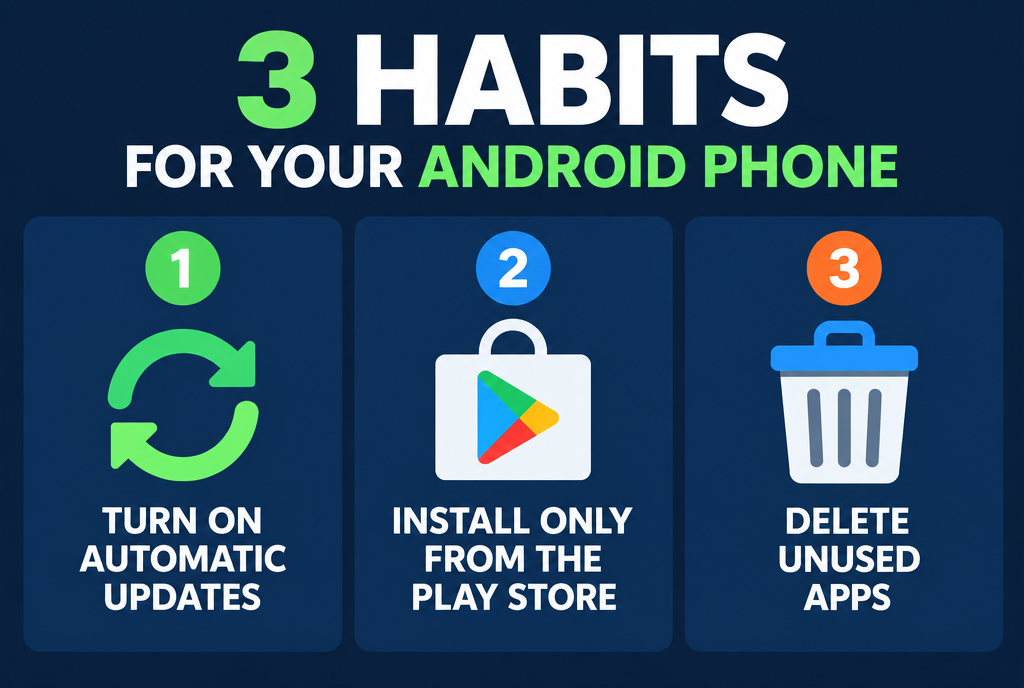
Three actions, five minutes, and one fewer potential accomplice in your pocket
What I take away from this is that we're reaching a point where a machine rereads the code of free apps that nobody had time to reread. Twenty-four vulnerabilities at once, in apps we thought were harmless. Come on, go clean up your phone tonight: I bet you'll find a flashlight in there!
Sources
- GitHub Blog, September 28, 2026: how we found 24 Android vulnerabilities with our open source AI security agent
- Help Net Security, September 29, 2026: GitHub's AI agent found 24 vulnerabilities in Android apps
- GitHub Security Lab: published security advisories
Article written with the help of Claude Code, proofread and corrected by me.
Join the conversation
You need an account to comment on this article. Creating one is free and takes under a minute.
No comments yet.