Home Automation: Jeedom. Why this one?
Would you like to automatically turn on your halogen lamp at sunset? Close your shutters automatically at 11 PM? Be notified that the back door has not been closed by an email or SMS? Do you want to automate the heating in all rooms? Then use the free software: Jeedom!
But what is Jeedom?
Jeedom was created by French geniuses, yes I say geniuses because I know programming and it's really well done! Of course, it's open-source software, so there isn't just one author, but still, I thank the pioneers who launched it.
Jeedom is software that you install yourself on a computer, or a Raspberry, or even a Synology NAS: https://www.jeedom.com/site/fr/soft.html
You can also buy a ready-made BOX with Jeedom pre-installed on it: https://www.jeedom.com/site/fr/box.html
Once Jeedom is installed, you still need some hardware. This hardware communicates with the Jeedom software, and this hardware, guided by it, will do what you have asked.
The difficulty of Jeedom is that it is not for everyone; you need a certain knowledge and logic to set everything up, but once everything is in place, then yes, anyone can use the interface. My little wife has no trouble using Jeedom via her smartphone, but if something goes wrong, she shouts: Choouuuuu... it's not workingggggg! And that's when I intervene ;)
Let me tell you that if I die tomorrow, my wife will go back to all mechanical, but that's another story.
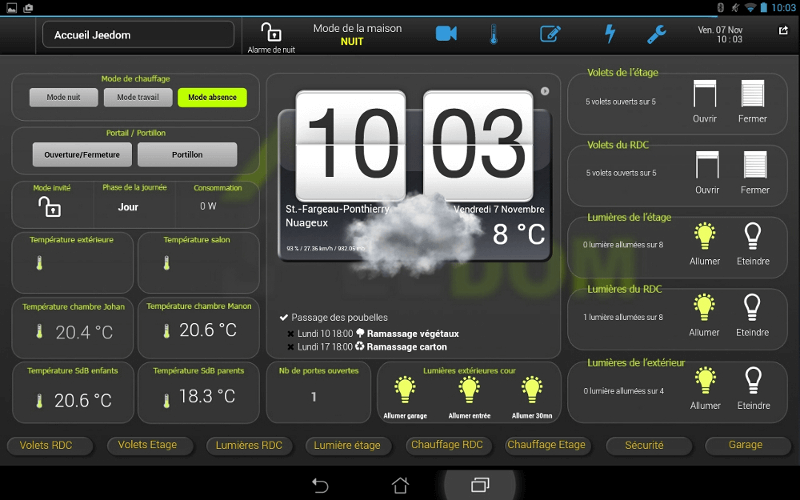
Here is an interface showing you the weather but also the temperature in certain rooms, the lamps turned on in different places, etc.
Hardware
Jeedom installed alone is useless; you need to buy multiple devices that communicate with Jeedom. There are plugs to put under living room lamps, halogen, your coffee maker, remote-controlled bulbs, thermostatic valves for your heating, motion detectors, water detectors to detect flooding, smoke detectors, switches of all kinds.
For hardware, there are several online stores like Planète Domotique for example: https://www.planete-domotique.com/ or https://www.domotique-store.fr/
Be careful, in the end, it costs a bridge ;) But start with a plug and you will quickly see that it's quite brilliant. The more remote-controlled hardware you have, the more you can create tons of smart scenarios.
Scenarios
The strength of Jeedom is that you can create scenarios with unmatched power. You can do whatever you want.
What is a scenario?
For example, I bought several thermostatic valves. I created a scenario that says that on weekdays at a certain time, I turn on my valves to 22 degrees to turn them off a few hours later.
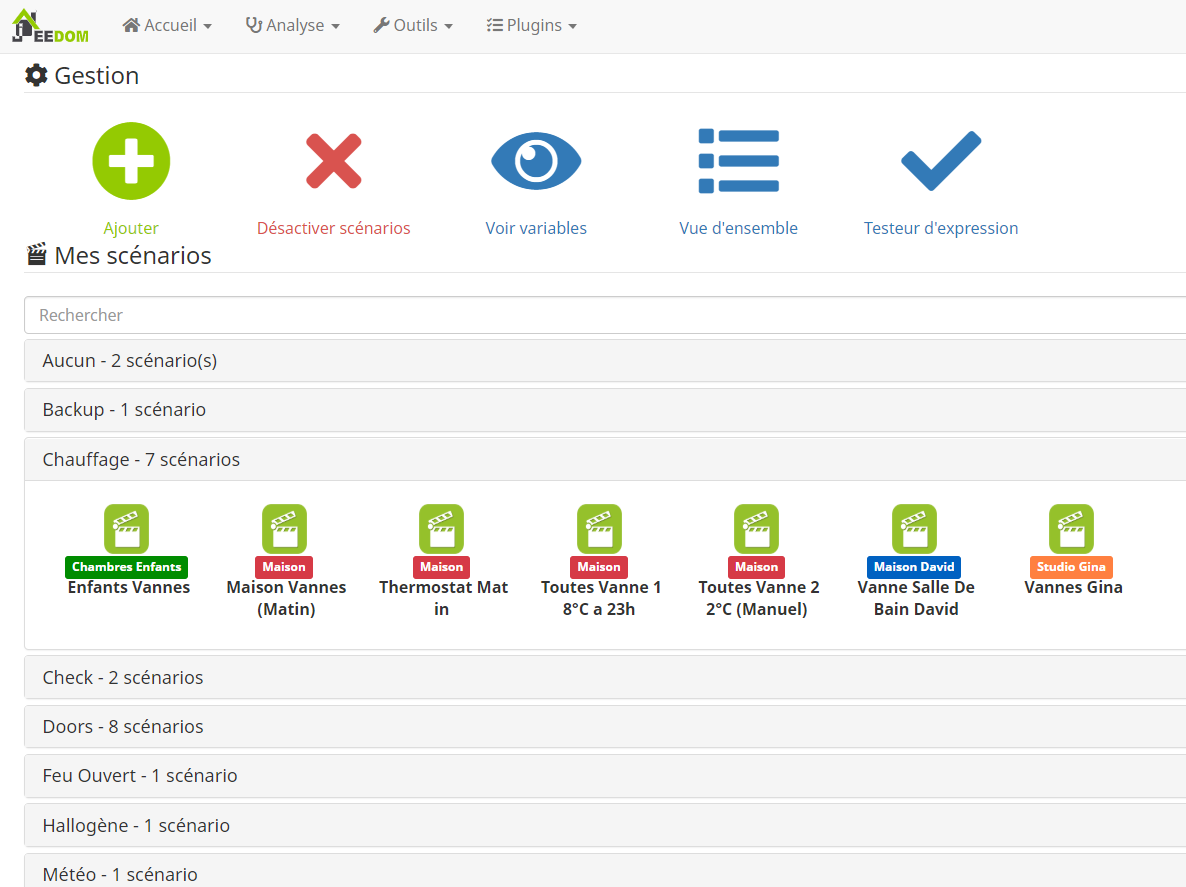
My list above of scenarios, including the scenarios for my heating.
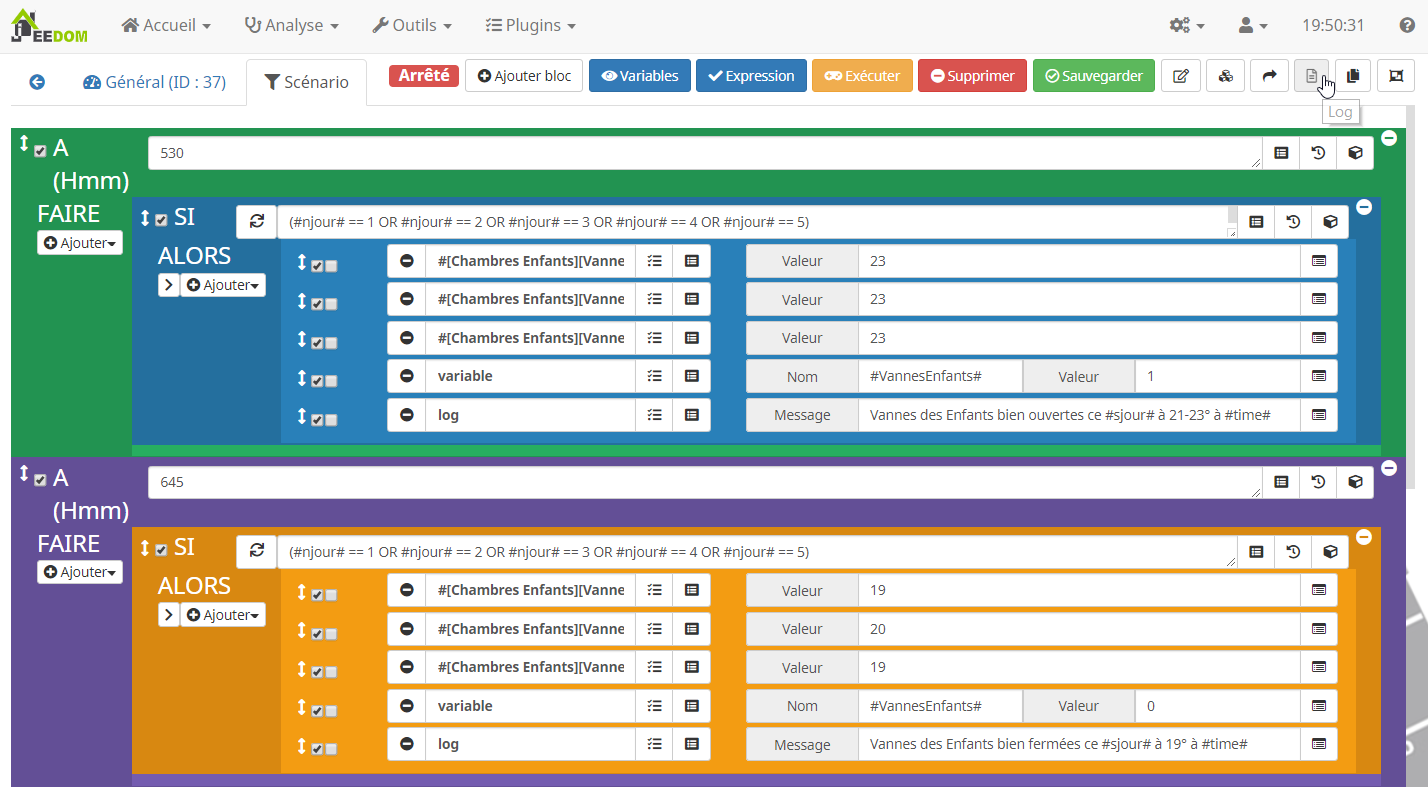
Here, one of the scenarios to open at 5:30 AM, the valves of my children to 23 degrees and at 6:45 (when they have breakfast in the dining room to leave for school) I set the valves back to 19 degrees (except one at 20 because the radiator is very small)
I let you imagine everything you can do automatically!
Z-Wave
Jeedom can use different hardware or protocols; for my part, I mainly use the Z-Wave protocol. The advantage of a Z-Wave plug, for example, is that the communication between Jeedom and my plug is almost instantaneous, and I can also know at any time the state of my plug, whether it is on or off. Why is this important? Because if my little wife manually turns on the plug via a small remote control to turn on the halogen lamp, for example, Jeedom should not turn it on again at sunset; it reads the state of the plug, sees that it is already on (return state 1 and not 0) and stops there, of course, if we have properly configured the scenario.
The Z-Wave protocol is a low-power radio wave of 868 MHz; it won't fry your brain ;)
Each Z-wave device also communicates with each other and passes information from one to another, for example, if your small Raspberry computer is in your living room, but Jeedom needs to set a thermostat valve on the 2nd floor to 21 degrees, each device, each valve will act as a bridge to pass the information to the correct valve. The more Z-Wave devices you have, the more robust your network will be and it will communicate well. Therefore, there is no need to place a Raspberry Jeedom downstairs and a Z-wave socket on the 13th floor, it's too far, it won't work! The range is about 50 meters (without walls).
Of course, there is not just Z-wave, there are other protocols that Jeedom manages, you can find all this information on the websites https://www.domotique-store.fr/ or https://www.planete-domotique.com/
Join the conversation
You need an account to comment on this article. Creating one is free and takes under a minute.
No comments yet.